
Breathedge 2 Opening Walkthrough
First chapter jobs, landmarks, and the demo mistakes you should not repeat.
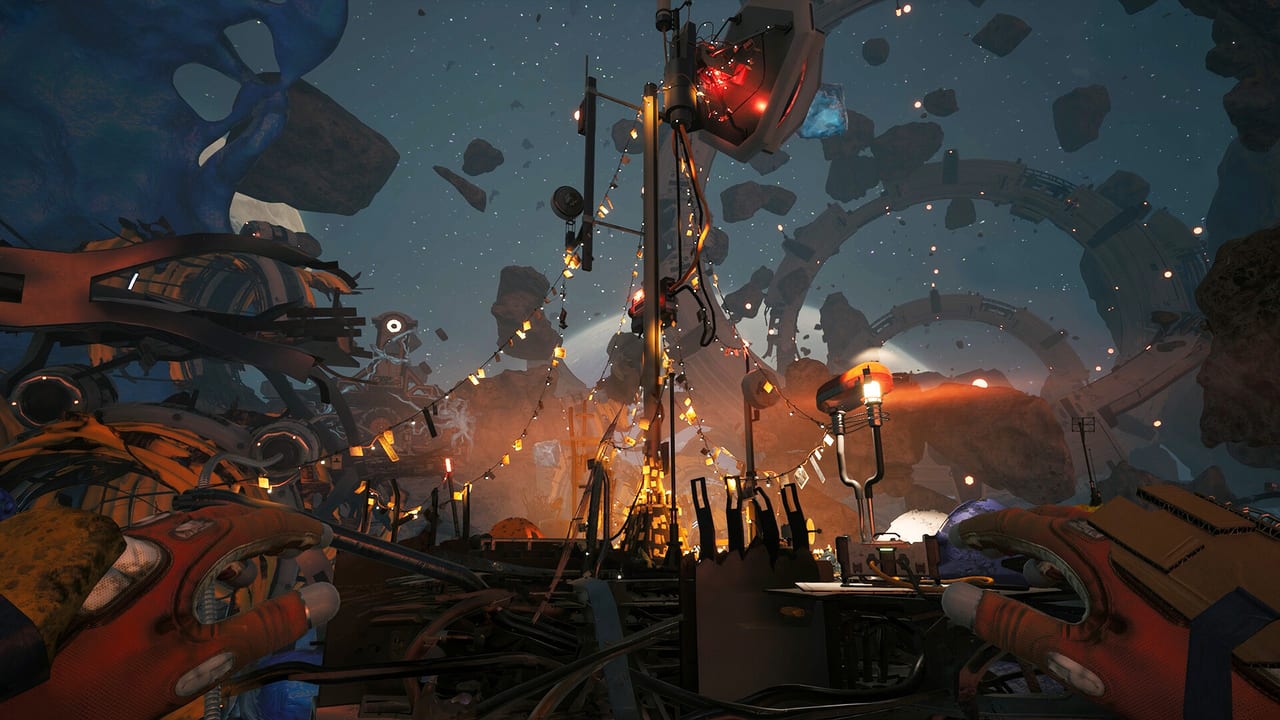
This walkthrough covers the opening stretch of Breathedge 2: the kind of jobs you meet in the first story chapter that Steam Early Access ships on 31 August 2026. It is not a 1.0 spoiler encyclopedia. The story is incomplete on purpose. When a later chapter lands, this page will grow. Until then, use it as a “I am stuck on a marker” guide, not a speedrun bible.
If you have not launched, read getting started first. If you are dying to meters instead of quests, you want survival.
How to use an Early Access walkthrough
RedRuins said new content will arrive as large new sections, not by constantly tearing up the opening. That is good for a guide: the first chapter should remain recognizable. It is bad if you expect the demo’s exact layout. The 2025 Next Fest demo was “the very beginning” with first main and side quests, a crowbar, a chicken, aluminum, and a ridiculous poster count. Demo saves were not promised to transfer. Treat demo videos as loop lessons.
The long gameplay video in the middle of this page is a 4K demo walkthrough. Watch the job cadence: talk, loot, repair, encyclopedia, shuttle, panic. Then come back here for landmark names.
Opening-loop jobs (demo-proven, still useful)
These are the kinds of tasks the pinned developer FAQ and demo players actually hit. Names may shift in Early Access; the verbs will not.
Find plastic. It is everywhere. Best places: pipes and suitcases. Do not tour the whole wreck. Grab, craft, move. Catalog on resources.
Find titanium. Demo answer: behind Chuck’s Taxi. You did not need a lot of it to finish that slice. If a quest names a rare, look for a landmark, not a biome grind.
Load the Spraytron. Best: free reload at special recharge stations around the shuttle station. Second best: craft cells. Walking around with an empty Spraytron is how side jobs become deaths. See tools.
Repair, pry, yank, tear. The developers listed these as core Man-in-space verbs for Early Access. If a door is “stuck,” you probably need a tool, a power restore, or a password on a nearby object. Demo players found a locomotive door code on the front of the locomotive. Look at the thing you are trying to open.
Encyclopedia flag. If a quest is vague, search the Encyclopedia before you open this wiki. The developer FAQ repeated that line for a reason.
Landmarks you will see in footage
Steam screenshots and trailers keep repeating a visual language. Use it as a compass:
- Cosmostation terminals and white industrial modules floating in blue gel and rock. First-person shots with orange gloves usually mean “you are in the loot layer.” See stations.
- Chuck’s Taxi (demo) — a unique wreck used as a resource answer. Unique vehicles are landmarks.
- Shuttle station — recharge posts, hangar logic, the orange shuttle cabin you see in crew shots.
- String-light camps in junk — a human-scale rest in a debris field. Good oxygen memory point.
- Ring wrecks and antenna masts against a planet. Good for orientation, bad for assuming you can land on that planet yet.
The map hub explains that Early Access is one large chapter region with multiple zones, not the full galaxy. Planetary surface gameplay is a later roadmap item.
Story, without ruining the joke
Official copy: the Breathedge Corporation started a galaxy-wide war, built Coffinbots, and attacked the largest human settlements. The Man and the suit AI derailed a swift takeover and became target number one. Then their own allies attacked them. Who is Babe? Why the Chicken? Why all the duct tape? The game wants those questions to stay questions for a while.
You do not need a conspiracy board on day one. You need to finish the local jobs, keep the Chicken alive-as-a-gag, and not miss NPCs who hand out side work. Crew covers the people. Review covers whether the larger story is actually landing.
When you are stuck
- Read the quest text twice. Breathedge hides verbs in jokes.
- Search the Encyclopedia for the named noun.
- Look at the object. Codes, switches, and diagrams are often on the hull.
- Check charge, oxygen, and carry. Many “soft locks” are empty tools. Crafting.
- Leave, loot a different wreck, come back. The opening is sandbox-ish inside a chapter, not a corridor.
- Only then follow a timestamp in a walkthrough video.
If a marker points somewhere you physically cannot go, it may be future chapter geography. Confirm against Early Access so you do not spend two hours boosting toward a locked skybox.
Come back to this walkthrough after each major update. The opening should stay stable; the list of optional events will not. Bring duct tape.
Frequently Asked Questions
Quick answers to the most common questions.
Does this walkthrough spoil the whole story?
No. Early Access only ships the first major chapter, and this page stays on jobs and landmarks. Story themes are in the official blurb; twists stay in the game.
Can I follow a 2025 demo video in 2026?
For the loop, yes. For exact crate locations, maybe not. Use demo videos for cadence, then the Encyclopedia for current recipes.
Where was titanium in the demo?
Behind Chuck's Taxi, and you did not need much to finish that slice. Rare materials tend to sit on unique landmarks. See resources.
A quest marker is in empty space. What now?
Confirm it is not a later-chapter lock on Early Access. If it is in the current region, look for a vehicle, airlock, or code on a nearby hull.