
Breathedge 2 Getting Started
From Steam client to your first successful EVA without kissing a vacuum.
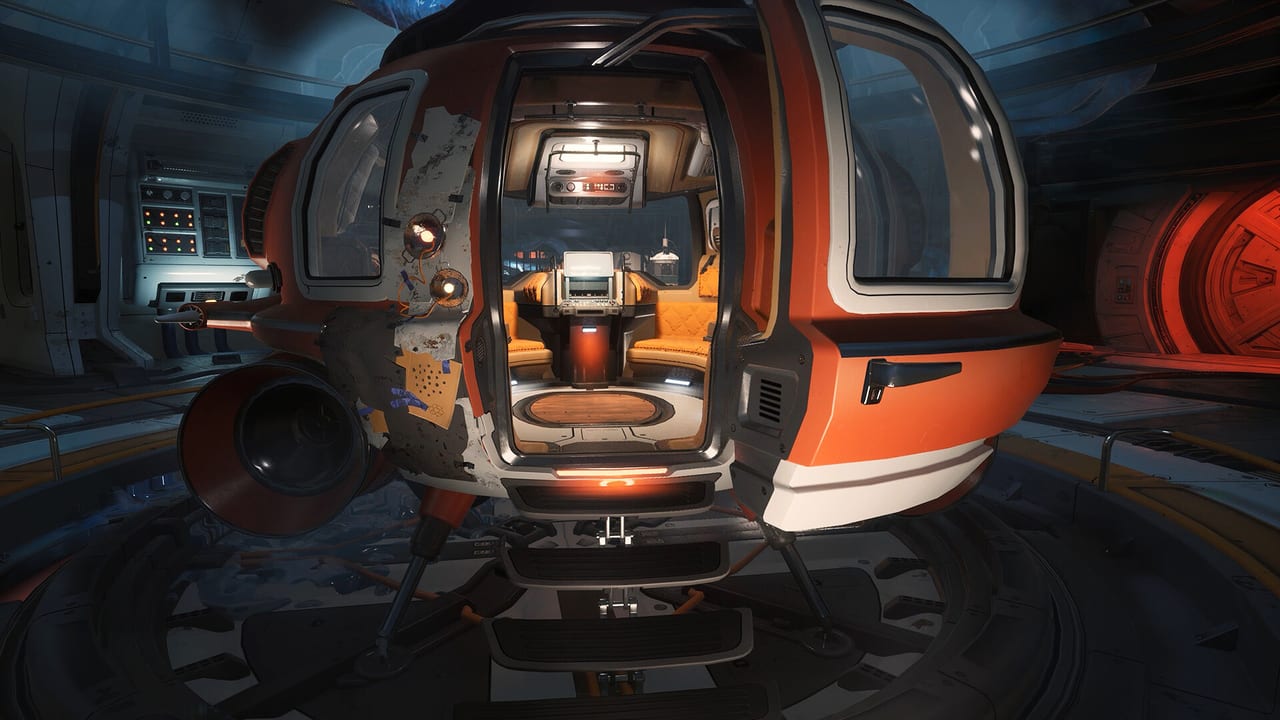
Breathedge 2 is a first-person survival adventure set on the junk-strewn edge of inhabited space. You play the Man: bearded, underqualified, and somehow still the galaxy’s last competent plumber. Steam Early Access is dated 31 August 2026. This page is the day-one briefing: what to install, what the first hour is for, and which wiki pages to keep open while you play.
You do not need the original Breathedge. The sequel is built so veterans and newcomers are equally lost, which is a design choice, not a bug. If you want the old game’s tone — Subnautica wreckage plus Prey-style object abuse plus a chicken — you already understand the joke. The sequel adds crew, a larger sandbox, DIY modules, and a corporation that started a war with an army of Coffinbots.
Install and settings before you float
Confirm the system requirements first. Minimum is a 64-bit Windows 10/11 box, 12 GB RAM, and a GeForce GTX 1660 6 GB or Radeon RX 5500 XT 6 GB. Recommended is a newer 16 GB / RTX 3070 class machine. The game is Unreal Engine 5, Steam Deck Verified, with full controller support and Steam Cloud. If your GPU is the floor spec, read settings before you crank shadows to cinematic and then asphyxiate at 22 FPS.
Buy or wishlist through the official Steam app page. The developers said the lowest price is at the start of Early Access and that the price will rise with major updates, the same pattern as the first game. There is no Mac or Linux client in the store listing. PlayStation 5 is listed as a 2027 window by third-party calendars; treat that as a later port, not a day-one option.
The first hour, in order
- Finish the opening and do not skip the suit tutorial. The HUD now tracks satiety, fuel, and carry weight in addition to the classic oxygen panic. Those meters are how the game kills you when combat is not around.
- Open the in-game Encyclopedia as soon as it unlocks. Developer FAQ answers for the 2025 demo all ended with “check the Encyclopedia.” That is still the right habit. This wiki is backup, not a replacement for the tool that lives in your pause menu.
- Learn controls on the input you will actually use. Keyboard and mouse is the default FPS layout. Controller is fully supported, including DualShock and DualSense. Bind interact, inventory, and the extra-hand toggle somewhere you can hit while drifting.
- Loot like a coward. Plastic is everywhere, especially pipes and suitcases. Titanium is scarce in the opening. Read resources before you empty a wreck into a backpack you cannot lift.
- Craft only what the next job asks for. The crafting page covers blueprints, DIY modules, charge, and durability. A jackhammer that is 39/100 charge is a paperweight.
- When you leave a shuttle or airlock, set a mental timer for oxygen and a physical landmark for the return path. The map and stations pages name the kinds of places you will see: abandoned modules, taxi wrecks, recharge posts, string-light camps.
What Early Access actually gives you
RedRuins described the first drop as the opening chapter of a long adventure, closer in size to the first two or three chapters of the original, with the caveat that several systems are still missing. At launch of Early Access you should expect:
- Open-space looting, repairing, dragging, tearing, and dying of oxygen.
- Crafting, DIY upgrades, armor, combat, eating, breathing, equipment, quests, collectibles, and achievements.
- A large area, main and side jobs, NPCs, and optional junk piles.
- Not the full 1.0 story, not every star system, and not the finished building-plus-warp-ship fantasy. See Early Access and the roadmap.
The 2025 Next Fest demo was the very beginning: first main and side quests, a crowbar, a chicken, aluminum, and a mountain of posters. Demo saves were not promised to carry into the full game. If you still have a demo folder, treat it as nostalgia, not a transfer plan.
Pain points this page is here to kill
Players bounce on three things: they ignore meters, they hoard junk, and they assume a shuttle is a free rest. Survival is the long version. Short version: recharge Spraytron-class tools at marked stations when you can, eat before you EVA, and never leave a known air pocket without a plan to get back. The crew page matters once Babe and the Chicken are in your loop — they have needs, and the joke is that those needs are still meters.
Watch the gameplay video in the middle of this page for the first-hour cadence: loot, inspect, craft, drift, panic, return. Then jump to the walkthrough when a job marker stops making sense. If you only remember one sentence, remember this: the Encyclopedia is faster than a wiki tab when you are already in a suit.
Come back here after your first death. Everyone’s first death is oxygen. The second is usually a full backpack at a locked door.
Frequently Asked Questions
Quick answers to the most common questions.
Do I need to play Breathedge 1 first?
No. The sequel is written so the plot confuses everyone. Play the original later if you want more chicken lore.
Is Early Access a tiny vertical slice?
The developers say the first drop is a substantial opening chapter, not an empty map they will fill later. Story and some systems are still incomplete. Details live on Early Access.
Will my 2025 demo save work?
Unlikely. The pinned developer FAQ said there was a huge chance the full game would not accept demo saves because of planned changes.